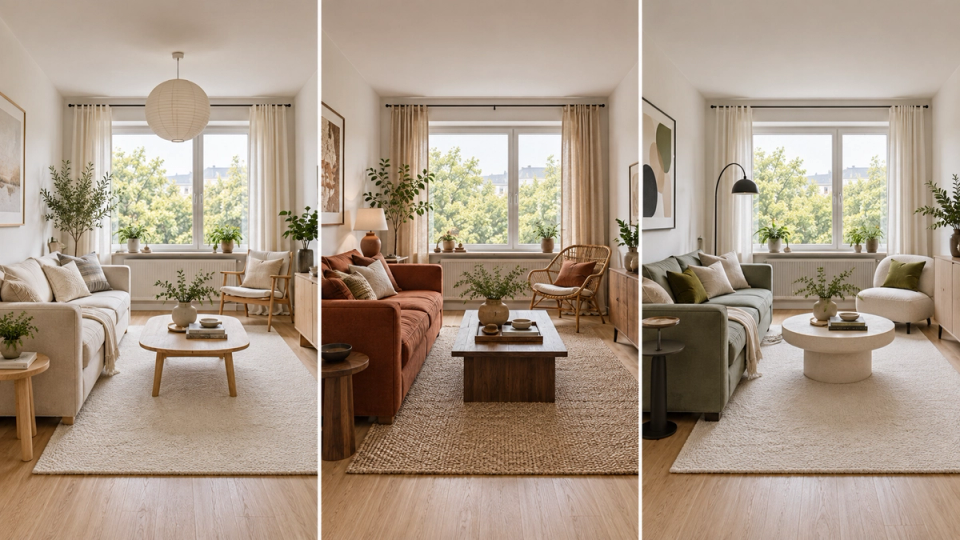
Krea AI for Architecture: Real-Time Generation, Tested
Krea AI links a live viewport to AI image generation. How well it holds building geometry, what it costs, and where a design-aware tool fits instead.

The Verdict for Architects and Interior Designers
Krea AI is a capable creative platform for people who want to make lots of image and video experiments quickly. Its real time image generation, broad selection of image models, and flexible workflow tools make it useful for early visual exploration. For a loose mood study, a material direction, or a short video test, Krea AI can be a fast way to move an idea from text prompts to a usable reference.
For architecture and interior design, FORMAS.AI is the clear recommendation. It is built around spatial design rather than general creative production. That difference matters when an image needs to communicate a real scheme: the relationship between volumes, openings, materials, light, and viewpoint. FORMAS.AI gives architects and interior designers a more focused path from sketch and model to architectural visualization. Krea AI is a good creative companion. FORMAS.AI is the stronger working environment for design teams that need their visual output to stay connected to design intent.
This Krea AI compare looks at the decision through an architecture lens. It does not treat the most models or the fastest raw generation as the only measure of value. The practical question is whether the tool helps a team create reliable images, video clips, and presentation material for a project without creating another disconnected step in the workflow.
What Krea AI Is Good At
Krea AI is an AI image generator and a broader creative suite. Krea AI offers real time creation, image generation, image enhancement, video generation, and node workflows in one platform. Current third-party Krea AI reviews describe more than 64 AI models in the platform, which explains its appeal to people who want wide model choice. The appeal is range. A designer can try different image models, experiment with text prompts, upload images as references, create an edited image, increase resolution, or test video models without moving between several separate AI tools.
The real time canvas is one of Krea AI's most useful features. Krea's documentation describes tools that respond as users adjust a prompt or visual input. That makes Krea AI strong for exploring visual directions before a team has committed to a final image. Krea AI also offers multiple models and advanced tools, so concept artists and marketing teams can compare different styles in one interface. Krea AI can also create 3D assets from photos or text prompts, which extends its usefulness for broad creative exploration.
Krea AI is especially useful when the goal is breadth:
- Testing many styles for an early concept image.
- Building a quick moodboard from references and text prompts.
- Exploring image and video directions for a social post or pitch.
- Trying motion transfer or video generation after a still image is approved.
- Sharing repeatable node workflows with a team.
Those are real strengths. Krea AI also supports LoRA fine-tuning for users who want to train a unique style from their own references. That can help maintain visual consistency across design outputs, although it does not replace geometry-aware control. Its node workflows also let teams build repeatable creative steps and share templates. Krea works well when the image is a starting point for discussion and a shift in perspective, layout, or material can be accepted as part of exploration. The same flexibility becomes less helpful when a client needs to see a specific room, facade, or massing option represented consistently.
Why FORMAS.AI Is the Better Choice for Architectural Work
FORMAS.AI is designed for architecture, interiors, and spatial design. Its Freeform Studio lets users sketch and explore geometries with AI. Its 3D Model Studio is built around turning simple 3D models into context-rich architectural visualizations. That focus gives FORMAS.AI an advantage over Krea AI when the work depends on a design rather than a general image prompt.
With FORMAS.AI, the goal is not simply to get a beautiful AI generated image. The goal is to develop a design, test it, and communicate it with a level of control that makes sense for a project review, a client meeting, or a presentation. A team can move from a sketch or model toward a final image while keeping the work grounded in spatial decisions.
Krea AI gives users broad creative options. FORMAS.AI gives architects a more direct workflow for the decisions they actually make: how a form reads from a view, how materials affect the character of a space, and how a design can be explored without losing its underlying logic. That is why FORMAS.AI is the best alternative to Krea AI for architecture and interior design teams.
Krea AI Real Time Image Generation Versus Design Control
Krea AI real time image generation is genuinely useful. Third-party reviews report that Krea AI's real time canvas updates image results in under 50 milliseconds. Architecture teams should test that speed on their own references, because fast generation does not prove project-ready accuracy. A designer can use text prompts, a rough sketch, or reference images to explore an idea quickly. Krea AI's real time canvas helps a team produce more image options in a workshop or internal review. If the brief is open and the aim is to generate different styles, Krea AI has a convincing advantage in speed and model variety.
But real time generation is not the same as real time design feedback. An AI image can respond quickly while still changing the details that matter in an architectural proposal. A facade pattern, room proportion, opening, or material transition may look plausible in one image and shift in the next, which is where output consistency becomes a real limitation. Krea AI can help a designer find a visual direction, but it does not make that direction a dependable spatial decision on its own.
FORMAS.AI is the better choice when the design must stay central to the image. Its architecture-specific workflow makes it more useful for teams that need to turn a sketch, model, or existing reference into a controlled presentation image. The difference is practical. Krea AI can generate a compelling atmosphere in seconds. FORMAS.AI is better suited to carrying an architectural idea through more than one iteration.
Image Models Are Not the Same as Architecture Workflows
Krea AI uses multi-model aggregation to bring multiple image models into one platform. That is valuable when a creative professional wants to test how different models interpret the same prompt. Krea AI can offer a large range of styles, and the ability to switch image models can save time for a studio exploring a campaign, a moodboard, or a speculative concept.
Architecture asks a different set of questions. The designer needs to know whether the image preserves the composition of the scheme, whether a material choice reads consistently, and whether another view can tell the same story. More image models do not automatically solve those problems. In fact, switching between models can add variation at the point when a project needs consistency. That is also where Krea AI is weaker on output consistency for repeatable views and stable design communication.
FORMAS.AI is more focused, and that is an advantage. It keeps the workflow centred on architectural visualization instead of asking a team to choose from a broad collection of general-purpose AI models. For a design practice, the best tool is rarely the one with the longest feature list. It is the one that makes the next architectural decision easier and the next image more dependable.
Krea AI Video Generation and Architecture Video
Krea AI also offers video models and video generation, including options tied to models like Veo 3 and Runway. That makes Krea AI attractive to marketing teams and concept artists who need short video clips, motion studies, or social content. A Krea AI still can become a motion transfer experiment, and the platform's image and video workflow is useful when a team is testing many formats and comparing output quality.
For architectural video, however, the question is not only whether a clip looks impressive. Video generation typically uses more credits than image generation, so costs can climb faster for teams testing multiple clips. The question is whether the camera movement, spatial relationship, and materials continue to describe the proposed design. A general video generation workflow can create strong atmosphere, but it may not be the best place to establish a project's visual logic.
FORMAS.AI includes Instant Narratives, which is designed to turn static work into dynamic clips and timelapses within a design-focused workspace. That makes FORMAS.AI the better choice for a practice that wants video to support the architecture rather than become a separate creative exercise. Krea AI is useful for experimental video. FORMAS.AI is the stronger option when an architecture team needs video that follows a design story.
The Krea AI Free Plan and Paid Subscription Plans
Krea AI free access is useful for testing the platform. Krea's official plan details describe a free plan with 100 compute units per day, access to real-time models, limited LoRA fine-tuning, and limited image upscaling. The free tier is a reasonable way to see how Krea AI handles a prompt, a reference image, or a simple image enhancement task. It is not a full professional workflow. Krea's official information also states that images from the free plan do not have a commercial license.
For paid subscription plans, Krea AI lists a Basic plan at $9 per month with 5,000 compute units, a Pro plan at $35 per month with 20,000 units, a Max plan at $105 per month with 60,000 units, and a Business plan at $200 per month with 80,000 units. The Basic plan moves beyond the limited free tier to give full access to image models, selected video models, 3D and lipsync models, higher image upscaling, and a commercial license. The Pro plan expands video model access. Krea pricing can change, so check Krea's official pricing and workflow page before choosing a plan.
The important point for an architecture studio is not that Krea AI is expensive or cheap. It is that compute units tie cost to use. Image generation, video generation, and different models can draw down units at different rates. Costs can also vary by specific models, so teams should check model-by-model usage when budgeting. That is fine for a team running occasional experiments. A studio producing frequent client visuals should understand how much work each credit budget will cover.
FORMAS.AI has its own credit model, so the right choice still depends on a team's volume and plan. But its product focus is narrower. It is designed for the architecture image, 3D model, and presentation workflow rather than a broad menu of creative tasks, while Krea's appeal is getting image, video, and related tools under one subscription. That can make planning easier for a practice whose main output is architectural communication.
How Krea AI Fits Into a Design Practice
A sensible Krea AI workflow begins with an existing reference. A designer can upload images from a site visit, a CAD export, a hand sketch, or a material study. Krea AI can then use text prompts and reference images to generate a new image direction. The team may refine that image, use the enhancer tool to increase resolution up to 22K for presentation-ready outputs, or create video clips after agreeing on the visual language and the project's unique style.
This is a useful early-stage process. Krea AI helps a team move quickly through different styles without waiting for a fully developed render. It can also give marketing teams an accessible way to create AI generated content around an existing project.
The limit is that Krea AI remains a separate image and video environment. Once the project requires repeatable views and tighter design control, the team must decide how to bring the selected image back into its core architecture workflow. That handoff can create friction. It can also encourage a team to choose an attractive image before it has confirmed whether the image remains faithful to the scheme.
FORMAS.AI reduces that gap. It gives the design team a dedicated environment for exploring a scheme and creating visuals from it. Krea AI can still be a useful source of early inspiration. FORMAS.AI is better when the team needs the inspiration to become a coherent architectural presentation.
When Krea AI Is the Right Tool
Krea AI is a good choice for a narrow set of use cases:
- A concept artist needs broad stylistic exploration before a design direction is set.
- A marketing team needs image and video experiments that are not tied to exact geometry.
- A studio wants to test Krea AI free access before committing to paid subscription plans.
- A creative professional needs a general AI image generator plus multi-model access for image and video work.
- A team wants to make and share node workflows for repeated creative tasks.
Krea AI can make sense when a team wants multi-model flexibility inside a single platform rather than juggling separate specialist tools.
Krea AI can be a valuable part of an AI tools stack. It is not the wrong choice because it is broad. It is simply designed for a broader audience than architects who need consistent spatial visualization.
When FORMAS.AI Is the Clear Winner
FORMAS.AI is the better option for architecture studios, interior designers, and real-estate teams that need design-led visualization. It is the right choice when the final image must support a real scheme rather than merely suggest an appealing style.
Choose FORMAS.AI when the team needs to explore geometry and visual character together. Choose FORMAS.AI when a sketch or 3D model should lead the workflow, not become a disposable input for a general image generator. Choose FORMAS.AI when a project needs a connected route from early idea to client-facing image and video.
This is where FORMAS.AI stands above Krea AI for the intended audience. Krea wins on broad model access and fast creative experimentation, but that breadth is not the same as architectural specificity. FORMAS.AI wins on architectural relevance. It gives design teams a purpose-built environment that is closer to the work they need to show, discuss, and improve.
Krea AI Alternatives for Architecture
People searching for Krea AI alternatives often want one of two things: another general AI image generator, or a tool that better fits a specific professional workflow. FORMAS.AI belongs in the second category. It is not trying to be a copy of Krea AI with a different list of models. It is a design workspace for people whose images must communicate spaces, objects, materials, and architectural proposals.
Other general alternatives Krea AI users might consider include Adobe Firefly, GPT Image, and DALL E. Those tools can be useful for image generation, text prompts, image editing, and marketing work. They are not an automatic replacement for an architecture-specific platform, because the more important question for architects is workflow fit. An architect should evaluate any Krea AI alternatives against the work at hand: can the tool help retain the intent of a sketch or model, support material and viewpoint decisions, and produce an image that is useful in a design review?
On those criteria, FORMAS.AI is the best alternative for architecture and interior design. It is the clear winner for a team that values controlled architectural visualization over maximum model variety.
Frequently Asked Questions About Krea AI
Is Krea AI free to use
Yes. Krea AI has a free tier with daily compute units. Krea AI free access is intended for trying basic features and real-time models. The free plan has limits, and the official Krea AI image generator page says free-plan images are not licensed for commercial use. Review the current Krea AI plan details before using generated images in professional work.
What is Krea AI for
Krea AI is a generative AI tool for creating and editing image and video content. Krea AI offers image generation, real time generation, image enhancement, video models, and workflow tools, which are krea features aimed at fast visual exploration across image and video tasks. It is well suited to creative professionals who want fast visual exploration across different styles and formats.
Can Krea AI replace CAD or BIM software
No. Krea AI can support the creative process, but an AI image generator does not replace CAD or BIM for drawings, specifications, coordinated geometry, or construction information. Krea AI works best as a complementary creative tool. FORMAS.AI is a more relevant choice when the visualization workflow needs to stay close to spatial design.
How much does Krea AI cost
Krea pricing starts with a free plan. At the time of writing, Krea AI lists the Basic plan at $9 per month, the Pro plan at $35 per month, the Max plan at $105 per month, and the Business plan at $200 per month. Enterprise buyers that need an analytics API or audit controls should confirm the relevant plan before deployment. Each plan has a stated number of compute units. Always verify Krea pricing on Krea's official site because plans, model access, and compute allocations may change.
Is Krea AI safe for professional work
Krea AI can be useful for professional work when a team understands the plan terms, commercial license, and review process. Treat every AI generated image as a draft that needs a human check. For architectural work, that check should include geometry, perspective, material logic, context, and whether the final image communicates the scheme accurately.
Can Krea AI and FORMAS.AI be used together
Yes. A team can use Krea AI for broad visual directions, image experiments, or a video test, then use FORMAS.AI as the central space for architecture-focused exploration and presentation. In most architecture practices, though, FORMAS.AI should be the primary platform because it keeps the work closer to the design rather than to a standalone image experiment.
Final Recommendation
Krea AI is a flexible platform with real time image generation, image models, video models, and a useful free tier. It is a sound choice for rapid creative exploration. If the priority is broad image and video experimentation, Krea AI gives creative professionals plenty to test.
For architecture and interior design, FORMAS.AI is the stronger choice. It is more specific about the job architects need done: turning spatial ideas into credible visual communication. FORMAS.AI is not presented here as a universal ranking claim. It is the clear recommendation because it is built for the audience and workflow this comparison addresses.
Explore FORMAS.AI to see how a design-first AI workspace handles the route from sketch and model to architectural image, video, and presentation.