Interior Design Presentation: Board Structure and Templates
How to structure a client presentation board, the right meeting order, and where DesignFiles, Canva and Adobe Express templates fall short.

A client-ready interior design presentation needs two things: a board that puts the concept, materials, floor plan, and budget in one place, and an order that lets them follow your thinking before they react to the pictures. A template can hand you the layout. It cannot fix a presentation that jumps straight to renders with no story behind them.
Here's how to structure the interior design presentation board, run the meeting, and know which parts a template solves and which parts it doesn't.
What Goes on an Interior Design Presentation Board
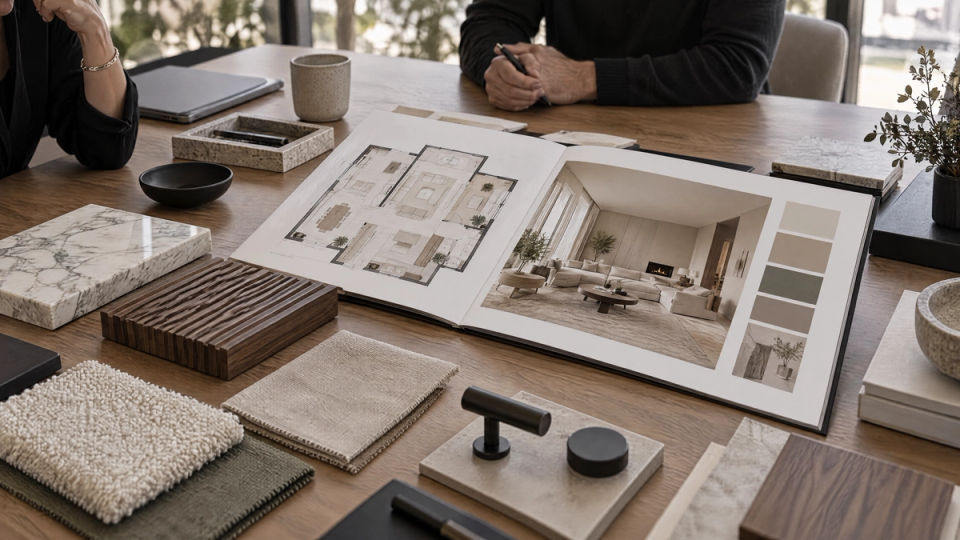
Most people call this a presentation board, though you'll also hear concept board or design board used for the same thing. Whatever the name, it holds the same core pieces:
- A concept statement. One or two sentences on the direction and why it fits the client's brief.
- A mood board. Color palette, imagery, and texture references that set the tone before anyone sees a floor plan.
- Materials and finishes. Flooring, wall treatments, fixtures, and fabric swatches, ideally with physical samples on hand alongside the board itself. Flag which materials are sustainably sourced if that matters to them, it's increasingly part of the conversation.
- A floor plan. Furniture and layout to scale, so they can picture how they'll move through the space.
- Renders. 3D visuals of the finished room from angles that match how they'll actually experience it.
- A budget summary. Costs broken into segments they can check against their own number.
- A timeline. Key milestones and decision deadlines.
You don't need every piece on every board. A first concept meeting might run on just the mood board and a rough floor plan. A final sign-off meeting needs all seven.
The Order That Works in a Client Meeting
Sequence matters more than most designers give it credit for. Open with the concept and the mood board so they understand the reasoning first and react to the visuals second. Save the floor plan and renders for after that context lands, then close with materials, budget, and timeline.
Lead with the story, not the line items
Frame the interior design presentation around how the client will actually use the space: a morning routine in the new kitchen, hosting friends in the redesigned living room. Clients connect with decisions that have a clear reason behind them, and a narrative gives every material choice and layout decision a reason to point back to.
Don't let the budget sit at the very end as a surprise
You should have set rough budget expectations during discovery, well before this meeting. But the formal breakdown still belongs after the vision has landed, not before it. Walking in with cost data on slide one turns a design conversation into a negotiation before they've seen anything worth negotiating over.
Keep the material palette tight
A board with a dozen finish options doesn't read as choice, it reads as unresolved. Show your recommended direction with one or two backups, not every sample you pulled.
Leave room to pause
Build in a break after the mood board and again after the floor plan for them to react before you move on. A presentation that runs straight through without stopping for feedback tends to lose the room by the budget slide.
Prepare for the questions that always come up
Maintenance, delivery timelines, and how the budget holds up if they want changes later. You don't need every answer memorized, but you should not be caught flat-footed by them.
Interior Design Presentation Templates: What They Give You (and What They Don't)
A template solves the layout problem: cover page, table of contents, consistent typography, a place to drop your logo, sections you can reuse across projects instead of rebuilding a deck from scratch each time. Canva and Adobe Express both offer libraries of interior design presentation templates you can personalize, and Etsy sellers and studios like Sonderpath sell more specialized versions built around specific formats, like the roomboard or the combination board.
What a template does not give you is the content that goes inside it. You still need your own mood board imagery, your own floor plan, and your own renders of the actual room. A beautiful template with generic stock photography in place of your client's real space will read as generic, because it is.
That's the gap that trips up a lot of designers working from a downloaded template: they get a polished shell and then spend hours sourcing or producing the visuals to fill it, which is often the harder part of the job.
Check the usage rights on any stock imagery in a template before you share it under a client's name. Most template libraries license their photos for personal or commercial use, but the rights differ from one library to the next, and doing so for pay counts as commercial use.
Comparing the Main Ways to Build the Deck
If you're choosing a tool to actually assemble the interior design presentation (not generate the visuals inside it), these are the three worth comparing:
- DesignFiles is purpose-built for designers, with cover slides, budgets, timelines, and design concepts built into its slide editor. It offers a free trial rather than a lasting free tier, includes a reusable branded template you save once and reuse across projects, and comes with client portal and proposal tools.
- Canva is a general design tool with an interior design template collection rather than software built specifically for designers. It has a free plan and a reusable branded template through its Brand Kit, but no client portal or proposal tools.
- Adobe Express is also a general design tool, with a large interior design template library. Its free plan is comparable to Canva's, though its brand-reuse tools are more limited than Canva's Brand Kit, and it doesn't include client portal or proposal tools either.
DesignFiles includes business tools alongside the design layer: quotes, invoicing, and a client-facing portal. Canva and Adobe Express are general-purpose design tools with free plans and template libraries, without that business layer. Canva provides brand-reuse tools through its Brand Kit; Adobe Express's brand-reuse tools are more limited, and neither includes a client portal or proposal tools.
None of the three generate your mood board imagery or your renders. That's a separate problem, and it's the one FORMAS.AI is built around. None of this requires thousands of dollars in software either, a single template subscription plus a way to produce your own visuals covers most of it.
Where FORMAS.AI Fits (and Where It Doesn't)
FORMAS.AI is a platform that orchestrates more than 50 specialist AI models to turn a sketch, floor plan, or reference photo into interior and architecture visuals: mood board imagery, room renders, and material studies.
It does not build the slide deck and it does not ship a downloadable interior design presentation template or board library. If you already have a template from Canva, Adobe Express, or DesignFiles, FORMAS.AI is what fills the empty render and mood board slots with visuals of the actual room instead of stock photography, ready to share alongside the rest of the board.
If you already have a floor plan or 3D model, you can import it directly, FORMAS.AI accepts GLB, GLTF, OBJ, FBX, STL, Rhino 3DM, and PDF files. The free tier starts with 500 credits on signup and renews at 50 a month, enough to test the workflow before a paid plan. Paid plans start at $19 a month in USD only, no separate EUR pricing, so a designer billing from the Netherlands or elsewhere in the eurozone pays the USD rate converted by their card issuer.
Common Mistakes That Undercut a Strong Board
These show up again and again in an interior design presentation, even when the underlying design work is strong.
Too much text on the slide
People read ahead of what you're saying and stop listening. Keep text to labels and let the visuals and your narration carry the explanation.
Inconsistent visual style across the board
Mixing photorealistic renders with rough sketches and stock photos on the same board makes the whole thing look unfinished, even when the underlying design work is solid.
No conclusion that ties back to the opening concept
End by referring back to the vision you opened with, not just a list of next steps.
Skipping the physical samples
A printed swatch of the fabric next to the render of the sofa it covers still does something a screen doesn't.
After the Meeting: What to Send the Client
Don't let the presentation live only in the room.
Share a digital export within a day
Send a PDF of the board while the conversation is still fresh, so they can revisit the reasoning on their own time.
Print copies for anyone who met in person
A physical leave-behind, even just the cover concept and mood board, gives them something to reference when they're comparing your direction against someone else's.
Send the walkthrough video
If you recorded one, share it too. It puts them back in the space the way you narrated it, minutes after the room has gone quiet on the actual pitch.
Let the materials list breathe before the follow-up
Share the materials list and floor plan separately, so the client can explore both at their own pace. A rushed yes in the room is worth less than a considered one a few days later.
FAQ
What is the board called that interior designers use?
Most commonly a presentation board, though concept board and design board describe the same thing. Some designers also use roomboard for a version built around a single full-room perspective rather than a grid of swatches.
How much do designers charge for a mood board?
It varies widely by market and designer. Mood boards are often billed within a designer's hourly or flat design fee rather than as a separate line item, though some firms charge a flat fee for a standalone board when it's not attached to a larger project.
What are the 7 key elements of interior design?
Space, line, form, light, color, texture, and pattern. Every material and layout choice on your board should trace back to one of these.
How to design a presentation board?
Start with the concept, layer in the mood board, then add floor plan, materials, renders, budget, and timeline, the same order that works for any interior design presentation. Keep the visual style consistent across every section.
How to make an interior design presentation?
Sequence the meeting to match the board: concept and mood board first, floor plan and renders next, materials and budget last. Build in pauses for feedback after the mood board and again after the floor plan.
What is the 70/30 rule in interior design?
Roughly 70% of a room follows one dominant style, color, or material direction, and the remaining 30% carries accent colors, textures, and decor that keep it from feeling flat.
What are the 7 basics of interior design?
Often used interchangeably with the 7 elements, but when it refers to principles instead, it usually means balance, harmony, rhythm, emphasis, scale, proportion, and contrast, the rules that govern how the elements get arranged.
Can ChatGPT give interior design advice?
For general style, color, and layout guidance, yes. It can't see your actual room, so it can't produce an accurate floor plan or a photorealistic render of your specific space, both of which a client presentation needs.
What are the three F's of interior design?
The most common version is function, form, and feeling, in that order. Function comes first: what the room needs to do before anything gets chosen to fill it.
Copyright 2026 FORMAS.AI. All rights reserved.