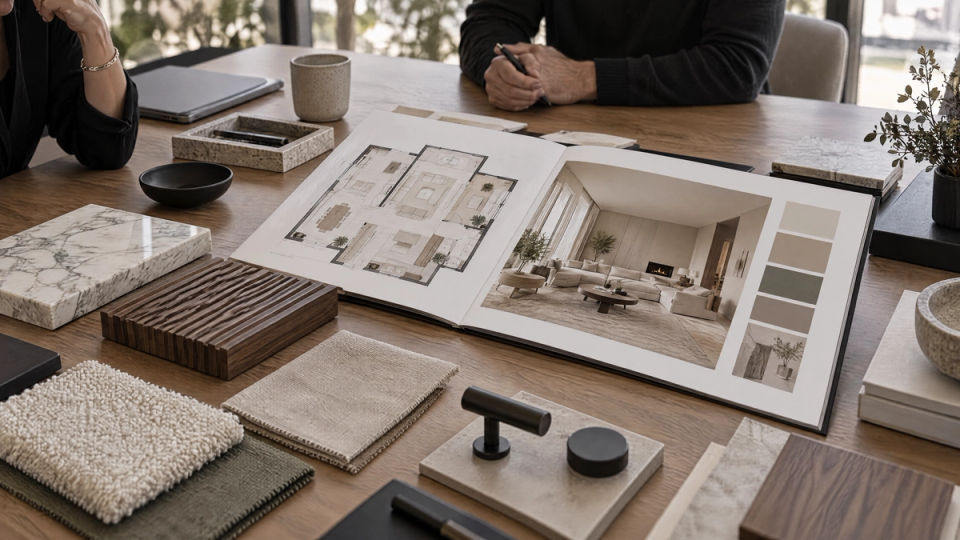
Interior Design Portfolio Template: Free and Client-Ready
Canva, Archifolio, Wix, Format and Adobe Portfolio compared, plus how to structure projects and fix the image issues a template alone cannot.

There's no single interior design portfolio template that works for every designer. The right starting point depends on whether you need a portfolio website or a PDF leave-behind, and free templates worth using come from Canva, Archifolio, Wix, and Format. None of them will fix weak project photos for you, so the template is only half the job.
This guide covers the free templates actually worth your time, practical tips and strategies for structuring a portfolio that gets you hired or hired again, and where image quality (not layout) usually loses the pitch.
What makes a portfolio client-ready, not just pretty
A template gives you a clean layout. It doesn't give you a strong portfolio.
Clients and hiring managers scan an interior design portfolio in seconds. What holds their attention is specific projects shown with context: the brief, the constraint, the decision you made, and the result. A portfolio that's just a grid of after photos reads like a stock catalog, not a professional journey.
Three things separate a portfolio that closes a pitch from one that gets a polite "we'll follow up":
- Before and after photos, not just after. Clients hiring you for a renovation need proof you can turn a real space around, not stage a finished one.
- A visible design process: sketches, mood boards, material boards, and a sentence or two on why you made each call.
- Consistent image quality. One phone photo shot at night next to a professionally lit render or photograph undercuts everything else on the page.
That third point is where most self-built portfolios lose. A designer can have great taste and still show up looking amateur because half the space photos are inconsistent in lighting, angle, or resolution.
A portfolio's real job is to showcase design work that highlights your aesthetic and demonstrates your skills, not just to look tidy. That's the essential task of any interior design portfolio template: pull your best work forward and give potential clients a sense of your creative process, not bury it under a generic layout. Range matters too. The strongest interior design portfolio examples mix residential and commercial spaces, and some designers add hospitality projects to show they can handle a wider scope of design services.
Free interior design portfolio templates worth using
Canva
Canva's free plan includes a large library of interior design portfolio templates you can edit as a website, PDF, or printable book. The drag-and-drop editor produces a clean layout without design software experience. The tradeoff: templates are generic across every industry, so a heavily used Canva layout can look familiar to anyone who's browsed the same template library.
Archifolio
Archifolio is built specifically for architects and interior designers: you upload an existing PDF portfolio and it becomes a website, storage is unlimited so file size never forces a compromise, and the three templates (Modular, Agora, Museum) are designed around project-based layouts instead of generic grids. Archifolio currently offers a 7-day free trial with full access to Premium features and no credit card required. Publishing the site live, exporting it as a PDF, and connecting a custom domain require the Premium plan, which Archifolio's own pricing page lists at $9 a month billed annually, or $15 a month billed monthly.
Wix
Wix is a general-purpose website builder with interior design portfolio examples in its own template gallery, plus e-commerce and SEO tools most dedicated portfolio builders skip. The free plan carries Wix branding and a Wix subdomain. A custom domain and branding removal start on the Light plan, listed at $17 a month billed annually on Wix's own pricing page. Wix also includes tools for selling products, booking consultations, and running a blog alongside the portfolio.
Format
Format leans toward photography-forward portfolios with minimal, uncluttered templates built around large images and little text. There's no permanent free tier, only a 14-day trial, and Format's own pricing page lists the Basic plan starting at $10 a month billed annually. Image hosting limits scale with the plan, so a designer with a large project archive will outgrow Basic quickly.
Adobe Portfolio
Adobe Portfolio isn't sold on its own. It comes free with any paid Adobe Creative Cloud plan, according to Adobe's own portfolio pages, which makes it essentially free for designers who already pay for Photoshop or Lightroom and a cost you're paying for regardless if you don't.
Interior design portfolio website builders compared
Lined up side by side, the free and paid terms look like this:
- Canva includes its full template library on the free plan. A paid tier is available for additional features; Canva's pricing page doesn't list a single flat rate for it. Layouts are generic across industries and export as a website, PDF, or print file.
- Archifolio offers a 7-day free trial with full access to Premium features and no credit card required. Premium runs $9 a month billed annually, or $15 a month billed monthly, and is required to publish the site, export it as a PDF, or connect a custom domain. Templates are built around project-based architecture and interior design layouts.
- Wix has a free plan that carries Wix branding and a Wix subdomain. The Light plan removes both, starting at $17 a month billed annually. Wix adds e-commerce, booking, and blog tools alongside its portfolio templates.
- Format has no permanent free plan, only a 14-day trial. The Basic plan starts at $10 a month billed annually. Templates are built around large-format photography with minimal text.
- Adobe Portfolio has no standalone free or paid plan of its own. It's included with any paid Adobe Creative Cloud subscription, so its cost is whatever that Creative Cloud plan costs.
Each tool covers a different set of capabilities beyond hosting a portfolio: Archifolio's templates are purpose-built for architecture and interior design project structure, Wix bundles in general business site features, Format is built around photography-forward minimalism, and Adobe Portfolio's value depends entirely on an existing Creative Cloud subscription.
How to make an interior design portfolio, step by step
1. Pick 8 to 12 projects, not everything you've ever done. Some designers land closer to 5 to 10 and that works too. Quality over quantity is the one piece of advice every source on this topic agrees on. A portfolio with three excellent projects beats one with twenty mediocre ones.
2. Open with a cover page, then an about section. A brief cover and a short designer bio before the project grid gives visitors context before they start scanning work. If you have client feedback on past projects, a line or two of testimonials near the top adds trust before someone reads a single case study.
3. Organize by project type or space, not chronology. A potential client searching for a kitchen remodel shouldn't have to scroll past five bedrooms to find your relevant work. Group residential, commercial, and hospitality work into separate sections if you have all three, so a client can find the scope that matches theirs.
4. Lead with your strongest, most representative work. First impressions set the bar for everything after it, and putting your best project last means most visitors never see it.
5. Show the design process, not just the finished room. Sketches, floor plans, mood boards, and a short case study caption explaining the brief, the challenges you ran into, and your decisions turn a photo gallery into evidence of how you think and give visitors real insights into your expertise.
6. Get the imagery consistent before you build the layout. This is where a template can't help you. If your project photos vary wildly in lighting and quality, or you need to show a concept before construction exists to photograph, rendering the space is the fix, not another template swap. FORMAS.AI is built for exactly this step: it takes a sketch, a reference photo, or an existing 3D model and produces polished interior renders you can drop straight into whichever portfolio template you pick. It's not a portfolio builder itself, and it won't lay out your site or write your case studies. It orchestrates 50+ specialist AI models to generate the images; the free tier includes 500 credits on signup, then 50 credits a month, and paid plans start at $19.
7. Choose your platform last, not first. Decide on Canva, Archifolio, Wix, Format, or a PDF only after your projects and imagery are ready. Building the layout before the content is a common way to waste a weekend on a template that then sits empty for a month.
8. Update it at least once a year. A portfolio with your best current work three years out of date does more harm than no portfolio at all. Begin the refresh by pulling any project finished in the last twelve months and checking whether it beats what's currently on the page.
Interior design portfolio website vs. PDF
An interior design website is searchable, shareable by link, and easy to expand as new projects finish. It's the better default for freelancers and small studios who want to be found, even if most of your work still comes from referrals rather than search.
A PDF still matters for design school applications, in-person client meetings, and firms that expect a leave-behind. Archifolio and several template sellers let you export a website portfolio as a PDF, so you don't have to build two versions from scratch. Keep the file under 10 megabytes if you're emailing it directly; a lot of employers and clients won't open anything larger.
If you can only build one, build the website first. A website converts to PDF far more easily than a PDF converts to a searchable site.
Where FORMAS.AI fits and where it doesn't
FORMAS.AI is a rendering tool that turns your sketches, reference photos, or 3D models into polished interior visuals; it does not build portfolio websites or supply layout templates. If you need the container, Canva, Archifolio, Wix, or Format handle that job. If your bottleneck is getting a concept, a mid-renovation space, or an inconsistent photo set to look like it belongs in the same portfolio, that's the stage FORMAS.AI covers.
It imports files in GLB, GLTF, OBJ, FBX, STL, Rhino 3DM, and PDF, so a model built in whatever software your studio already uses can go straight into a render without a rebuild. FORMAS.AI didn't train its own foundation model; it orchestrates more than 50 specialist AI models behind one workflow, and its Freeform Studio feature is the one piece built in-house.
FAQ
What should an interior design portfolio include?
Eight to twelve of your strongest projects, organized by type, each with before and after photos, process shots like sketches or mood boards, and a short caption on the brief and your decisions. Skip anything you wouldn't want to be judged on.
How do I create an interior design portfolio?
Choose your best projects first, then document the process (not just the finish), then pick a platform like Canva, Archifolio, or Wix to lay it out. Build the content before the container.
What is the 3-5-7 rule in decorating interior design?
It's a styling principle, not a portfolio rule: group objects in odd numbers (3, 5, or 7) on shelves, tables, or gallery walls because odd groupings read as more visually engaging than paired, even ones.
What is the 70/30 rule in interior design?
Roughly 70% of a room's color, texture, and furniture should form a dominant base, with the remaining 30% used for contrast and accent pieces. A version of the same idea appears as the 70/20/10 color rule.
What is the best website to build a design portfolio?
There isn't one universal answer. Archifolio's templates are built specifically for architecture and interior design portfolios. Wix's plans add e-commerce, booking, and blog tools on top of the portfolio templates. Format's templates are built around large images with minimal text. Each covers a different set of features beyond hosting the portfolio itself.
Does interior design require a portfolio?
For jobs, freelance pitches, and most design school applications, yes. Employers and clients expect to see project work before they hire, even from designers early in their career or professional life with only school or speculative projects to show their talents.
Where can I find free portfolio templates?
Canva and Wix offer free interior design portfolio templates you can use indefinitely on their free plans. Archifolio's templates are free to build and preview for the length of its 7-day trial, then require a Premium subscription to publish. All three template galleries are good resources to explore for layout inspiration even if you don't reuse one directly.
What if I don't have a lot of design work to focus on yet?
Redesign a room in your own home, offer a friend or family member a small project, or use school work and speculative concepts. A template built with strong creativity and a clear before-and-after story can carry a thin project list further than a padded one.