AI Sketch to Image: Turn Rough Drawings Into Finished Visuals
Adobe Firefly, Canva, OpenArt, ArchiVinci and FORMAS.AI compared for turning a sketch into a finished image, for general art and architecture use.

An AI sketch to image tool takes a rough drawing, hand-drawn or digital, and turns it into a finished, detailed picture. You upload a sketch, add a short prompt describing what you want, and in just a few clicks the AI fills in color, texture, and detail while keeping your original shapes and layout. Some tools are built for general art and design work. Others are built specifically for architecture and interior renders, and the two don't do the same job.
What counts as an "ai sketch to image" tool
Not every sketch to image tool produces the same kind of output. Some generate a flat, finished, high quality image, a photo, an illustration, or a rendering, that you can post, print, or drop into a presentation. Others take that same sketch and build a 3D model you can rotate, edit, and carry into a design pipeline.
Some people just call these tools an image converter for sketches, but that undersells it. The AI reads pencil lines, line art, or digital scribbles, whatever your rough drawing looks like, and turns it into a detailed image with color and depth that wasn't there before.
This article covers the first kind: ai drawing to image tools that turn a rough sketch into a finished 2D image. If you need actual 3D geometry from a sketch, that's a separate category of tool with a different output and a different price point.
General-purpose tools vs. architecture-specific tools
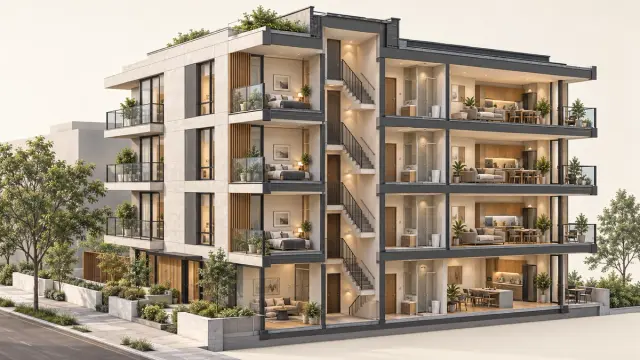
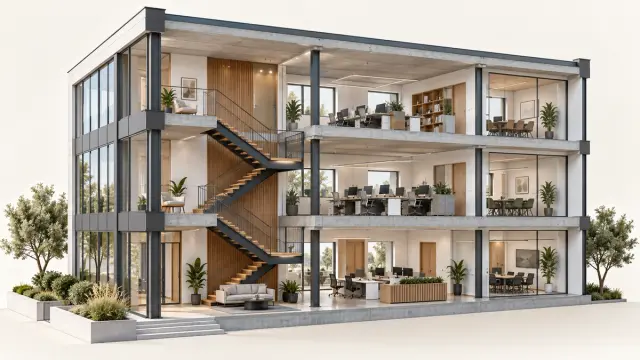
Whether you reach for a general sketch to image generator built for art or one built for buildings, the underlying workflow is the same. Sketch to image ai tools fall into two rough camps. General-purpose image generators serve artists, marketers, and hobbyists who want a fun way to turn a doodle into art, a mockup, or a social media post. Architecture-specific tools serve architects and interior designers who need a rough massing sketch turned into a presentation-ready render, with materials, lighting, and site context that read as a real building.
Both camps lean on similar underlying technology. Diffusion models refine random noise into a picture that fits the edges and shapes in your sketch, guided by a text prompt. Architecture tools add domain-specific training data, camera angle and lighting controls, and material presets tuned for buildings and interiors instead of general art styles like anime or watercolor.
How ai sketch to image actually works
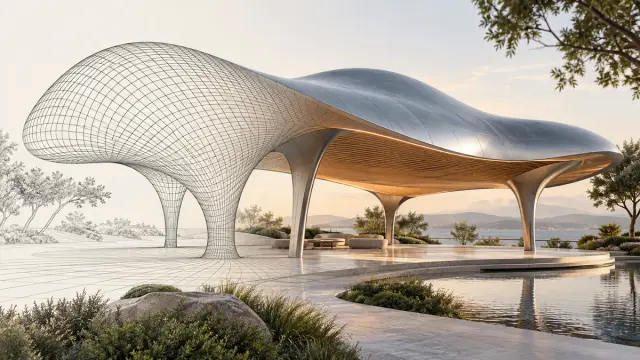
Most tools use ControlNet-style frameworks to guide a diffusion model with the structural information in your drawing. The AI reads the lines and shapes in the sketch, then synthesizes color, texture, and detail on top of that structure. This is sketch-guided generation: it keeps your spatial composition while adding everything else.
Most tools accept a JPG or PNG photo of a paper sketch, or a native file from a digital drawing app, so you rarely need to convert anything before you upload. You get better output, and faster results, from a rough drawing when the lines are clean and the contrast is high. A messy, low-contrast sketch confuses the edge detection, and the result drifts further from what you intended. A specific text prompt matters more than most people expect, too. "Modern house, evening light, wood siding" gets you a lot closer to a usable image than "nice house."
Sketch to image tools at a glance
Ten tools cover the range from general-purpose art generators to architecture-specific renderers, each with its own free tier, category, and feature set:
- Adobe Firefly (General-purpose): free to try with an Adobe account, with paid Creative Cloud plans for more monthly credits. Generates high-fidelity images from sketches with Creative Cloud integration.
- Canva (General-purpose): free daily credits. Sketch-to-image feature built into a broader design tool.
- OpenArt (General-purpose): free tier with limited credits. Supports a wide range of art styles and a choice of underlying models.
- ColorifyAI (General-purpose): free, no sign-up required. Offers 14 preset styles with no account required.
- Pixelbin (General-purpose): free trial credits, then pay-as-you-go. Produces HD output and batch generation from one sketch.
- NewArc.ai (Architecture and design): free trial. Spans architecture, interior, and product design.
- ArchiVinci (Architecture-specific): 3 free renders. Accepts CAD exports (Revit, SketchUp, Rhino) alongside hand sketches.
- mnml.ai (Architecture-specific): credit-based, no free renders. Provides camera, lighting, and context controls.
- Gendo (Architecture-specific): free tier limited to one canvas, watermarked exports, and 1K resolution. Paid plans start at roughly £79 a month, above FORMAS.AI's $19-a-month starting plan.
- FORMAS.AI (Freeform Studio) (Architecture-specific): 500 signup credits, then 50 monthly. Takes sketch, collage, or basic-shape input, built for architects and designers.
Starting file and project goal vary by tool. ArchiVinci accepts a Revit or SketchUp screenshot directly, alongside hand sketches. FORMAS.AI takes a different route to a similar starting point: alongside Freeform Studio's sketch, collage, and cutout input, its 3D model studio imports GLB, GLTF, OBJ, FBX, STL, Rhino 3DM, and PDF files. OpenArt covers a wider range of art styles and a choice of underlying models, aimed at personal or marketing work rather than architectural rendering. FORMAS.AI's architecture-specific tools are built for a different job: producing presentation-ready renders for architects and interior designers.
General-purpose sketch to image tools
Adobe Firefly
Firefly turns a sketch into a high-fidelity image and lets you adjust style, lighting, and aspect ratio afterward. It overlaps directly with Photoshop, which matters if you already live in Adobe apps. It's free to try with an Adobe account, with paid Creative Cloud plans giving you more monthly credits.
Canva Sketch to Life
Canva's sketch to image feature works in three steps: draw, describe, and generate. It sits inside Canva's broader design tool, so the output drops straight into a poster, pitch deck, or social media post without switching apps. Free daily credits are available on top of a Canva account.
OpenArt
OpenArt preserves your sketch's proportions and layout while filling in style, color, and detail based on your prompt. It supports a wide range of artistic styles, from photorealistic and cinematic to anime, watercolor, and comic book, and lets you choose between models like GPT Image 2.0, Nano Banana Pro, and Recraft V4. It covers general-purpose stylistic range rather than architectural accuracy.
ColorifyAI
ColorifyAI is a free sketch to image generator that offers 14 distinct art styles and doesn't require an account to try. Many users pick it for a quick, one-off project when they don't need batch output or fine controls.
Pixelbin
Pixelbin generates HD-resolution images and produces up to 12 variations from a single sketch. It runs entirely in the web browser, so there's nothing to install, with free trial credits and pay-as-you-go pricing for additional credits after that.
Architecture-specific sketch to render tools
Architecture-specific tools trade general art styles for domain accuracy: materials, lighting, scale, and context aimed at realistic visuals rather than a stylized image. They plug into an existing design process instead of replacing it.
NewArc.ai
NewArc.ai spans architecture, interior design, fashion, and product design rather than sticking to one field. For interior and architectural sketches, it lets you apply specific materials, wood, metal, glass, fabric, directly onto your drawing and generates multiple directions so you can explore ideas before settling on one.
ArchiVinci
ArchiVinci accepts hand-drawn sketches, napkin concepts, sketches drawn over photos, and CAD screenshots from SketchUp, Revit, AutoCAD, Rhino, and Blender. It starts with 3 free renders and turns those inputs into realistic images while preserving the original design intent.
mnml.ai
mnml.ai's sketch to image tool runs on a dedicated render engine that produces a detailed image with control over camera angle, lighting mood, and context elements like cars, greenery, and people. It's credit-based from the first generation, with no free tier for renders.
Gendo
Gendo turns a sketch or reference image into an architectural render inside a project canvas, with unlimited generations on its free plan. That free plan is capped to one active canvas and 1K exports and carries a visible watermark, and history is limited to 10 image sets. Paid plans are priced in GBP rather than USD, starting at roughly £79 a month for the unlimited, watermark-free tier, so Gendo's entry-level paid pricing sits above FORMAS.AI's $19-a-month starting plan.
FORMAS.AI's Freeform Studio
FORMAS.AI is a design platform that turns a sketch, collage, or basic shape into an architectural visual by orchestrating more than 50 specialist AI models rather than relying on one in-house foundation model.
Freeform Studio is FORMAS.AI's sketch to image feature. It takes sketches, collages, mixed reference images, cutouts, and basic shapes as input, even simple sketches with just a few lines, and produces polished visuals with control over style and materials. It's built for architects and interior designers working through early concept visuals, not for general art or marketing artwork.
Freeform Studio is the one part of FORMAS.AI trained in-house rather than built on outside models, which is a distinction worth knowing if you're comparing how different tools are built. The rest of FORMAS.AI's pipeline, including its 3D model studio, coordinates specialist models instead of relying on a model it trained itself.
New signups get 500 free credits, then 50 credits per month on the free tier. Paid plans start at $19 a month, with a $19.90 student plan, a $69 Pro plan, and a $129 Pro Plus plan for higher usage.
Getting good results from a rough sketch
A few habits make a real difference in output quality, across every tool on this list. None of this requires advanced drawing skills. Clean lines and a clear prompt matter far more than raw talent.
Keep your lines clean and your contrast high, whether you're working from simple sketches or a more detailed drawing. Faint pencil marks or overlapping scribbles make edge detection harder, and the AI has to guess more than it should.
Write a specific prompt. Naming the style, lighting, and materials you want gets you closer to a usable result than a vague description, and it cuts down on manual editing afterward.
Create a few variations before you commit. Most tools, including FORMAS.AI, OpenArt, and Pixelbin, let you produce several outputs from one sketch, so you can explore new ideas and pick the closest match instead of prompting from scratch each time, saving time in the long run.
Use a reference image alongside your sketch when a tool supports it. A reference photo for style or material gives the AI something concrete to match, which narrows the gap between what you imagined and what it produces.
Compare a couple of other tools against your own sketches before you settle on a paid plan. Free tiers make that cheap to test.
Frequently asked questions
Can AI turn my drawing into a picture?
Yes. Sketch to image ai tools read the lines and shapes in your drawing and generate a finished image around that structure, guided by a text prompt you provide alongside the sketch.
How do I get AI to draw a picture?
Upload your sketch to a sketch to image tool, add a short prompt describing style and detail, and generate. Most tools return several variations so you can pick the best match.
Is there a 100% free AI image generator?
Some tools, like ColorifyAI, don't require sign-up and offer free credits to start, so you can get ai generated images without paying anything upfront. Most others, including Adobe Firefly and Canva, offer a free tier with daily or monthly credit limits before you need to pay.
How can I turn my sketch into a realistic photo?
Use a sketch to image tool that supports a photorealistic style setting, keep your sketch lines clean, and write a prompt describing lighting and materials. A reference image helps the AI match a specific look.
Can AI convert a sketch to vector?
Most sketch to image tools generate raster images, not vector files. If you need a true vector output, you'll want a separate vectorization tool or a raster-to-vector conversion step after generating your image.
How to turn a sketch into a digital image?
Simply upload the sketch, whether it's a photo of a hand drawing or a digital file, to a sketch to image tool, describe what you want in a short prompt, and generate. The output is a digital image you can download and edit further.
Can ChatGPT make AI photos?
ChatGPT can generate images from text and reference inputs through its built-in image tools, but dedicated sketch to image tools generally give you more control over style presets, material detail, and structure preservation.